
 Recently I decided to revisit my interest in using SASS as a component of my WordPress theme development skillset. I began this process by looking around at my WordPress starter theme options that utilized a CSS preprocessor as part of its workflow. I briefly considered using Bones before eventually settling on Reverie (which is actually a Framework not a starter theme.) I have a specific use case in mind for the themes I’m building and I concluded Reverie stood out for its simplicity and would play nice with Gravity Forms and mobile templates after some rudimentary testing.
What’s All This Sass About?
Well, SASS is a CSS metalanguage that extends on CSS3 standards by adding sweet features like mixins, variables, includes and the like. There are a lot of benefits to using it with a CSS preprocessor or CSS framework (like Compass) that mainly have to do with trying to apply OOP (Object-Oriented Programming) principles to your theme code and leveraging reusable CSS variables throughout your projects. Here are three posts that go in-depth on the topic:
A. What is a difference in CSS frameworks vs preprocessors?
B. Cross-Platform Sass and Compass in WordPress
C. Getting Started With Codekit + CSS Preprocessors (Post includes a video.)
D. Syntactically Awesome Stylesheets: Using Compass In Sass
 What is also cool, is the emergence of GUI tools like CodeKit to help make this a real viable workflow for developers and designers alike. Having worked a bit with SASS during my stint at E9 Digital I was eager to exercise these muscles again and after some hiccups with Mac OS / Mountain Lion / RUBY configuration I was well on my way. I threw this post together to help those also starting down this road.
Getting Started
This post is a bit Mac OS-centric (Mountain Lion specifically) but nevertheless developers that use other operating systems should be able to figure this out using the information provided below. Here’s a list of steps and resources that helped me get up and running:
Step 1. You’ll need to fire up Mac OS X’s native Apache server local environment or use something like MAMP that is independent of the OS.
Step 2. Download WordPress and Download Reverie (which is based on ZURB’s Foundation.)
 Step 3. Make sure your development environment is up to date and/or install a “fresh” Ruby build and all the necessary gems and Compass.
A. Sass / Compass / Foundation / Mac Setup (Video)
This video covers some nuances of Codekit setup not covered elsewhere… (like switching the version of Compass you’re using to compile your code.)
B. Foundation Developer Documentation
D. How to Install Xcode, Homebrew, Git, RVM, Ruby & Rails on Snow Leopard, Lion, and Mountain Lion
E. Ruby on Rails development with Mac OS X Mountain Lion
And Now For The Tricky Part
 As you may have noticed, all the tutorials above focus on various pieces of the puzzle but don’t quite pull everything together in context. This can cause some confusion, that is now compounded by the fact that Compass, Foundation, CodeKit, and Reverie can be used independent of each other (or standalone if you prefer that phrase) where in the past some of these components were more tightly integrated and packaged together. Needless to say, it takes some patience and “massaging” to get this right especially if you’re working with pre-existing code or a theme like Reverie.
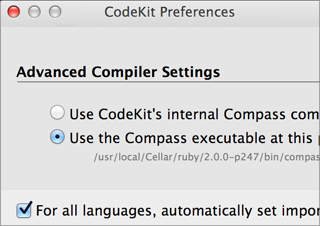
As I alluded to above, you may have to dig into CodeKit preferences to change preset folder names as I did. I made the mistake initially of trying to conform to the naming standards Compass wanted, but realized Reverie’s directory naming structure was engrained in the template code to a degree that made me change course. You might find this easier or less of an issue with other themes, but this tripped me up for a few minutes.
Sassy Starter
For example of a simple starter theme, you might want to check out “Sassy_S” which is the popular “_S” aka “Underscores” starter theme refactored into SASS partials.)
I hope this helps you fast track your efforts.
Speak Up
Have any tips to share? or any experiences with this workflow? Please share them in the comments.
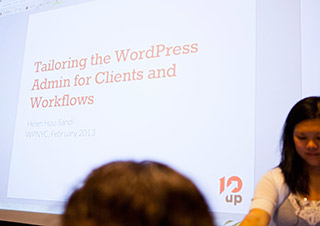 Last Tuesday, on a drizzly February night, several scores of intrepid WordPress fans came out to the latest WordPress NYC meetup, “
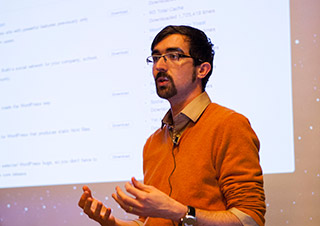 The first presenter at the meetup was what I consider a bonus treat. Boštjan Špetič (
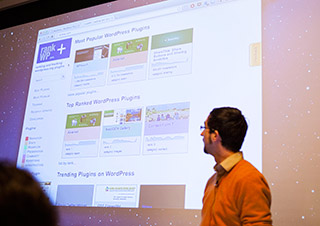 In response, the crowd gave some great constructive feedback and I am very excited about where the project will go in the future. The crowd wanted to see the compatibility with the current version of WordPress and when the plugin was last updated in search results, among other comments. This is certainly a good supplement to my usual googling for “top” or “best” plugin lists for a required feature if I’m not interested in building it myself.
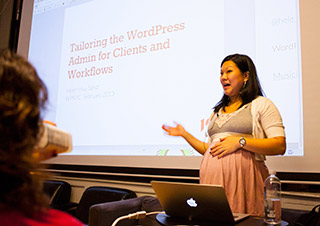 This presentation did not disappoint, because some of the things Helen covered I would probably not have thought up myself…. How about a tweak that doesn’t break the “featured image” association with a post until you actually want to update the post? OK, how about a page layout preview / “staging” engine entirely built in .js (Javascript) before your client hits publish? Setting up a staging environment for WordPress is a famously “hairy” and
 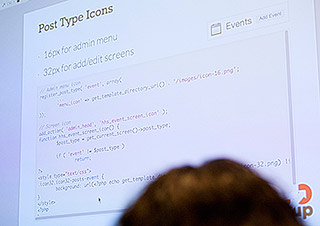 I won’t mention all the examples Helen illustrated because I’m not sure it’s appropriate (some of it was advanced client-related work), so please reference her slides. But by far her most relatable admin hack was simplifying and smoothing out media content uploads pre- version 3.4. Several months back (before 3.4) there were a lot of UI frustrations with the WordPress image uploader, so she got it there and streamlined the process for her clients. She warned that a lot of techniques covered like this one were for pre- 3.4/3.5 but they are still relevant depending on how custom an experience you’re trying to build. This was a pretty great example to see.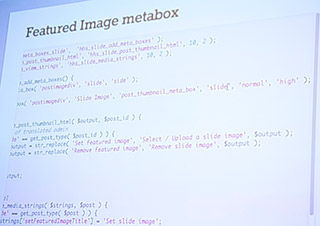
 Helen gave the example that this plugin is very useful in creating “many to many” relationships between data nodes (e.g. people –> companies –> many companies)
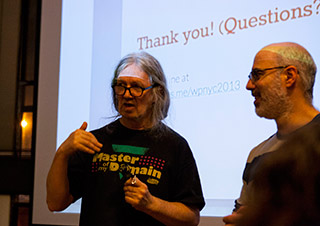 •Helen noted in her presentation that 10Up is growing quite well with about 23+ people now and considers it to be one of the largest WordPress consulting shops in the country.